
NBN 2000 Router Requirements: Ports, Wi-Fi and Devices
Check NBN 2000 router requirements across WAN, LAN, switches, Wi-Fi and device adapters. Find gigabit bottlenecks before buying a faster plan or new router.
CompareUs Editorial TeamConsumer utilities editorial team
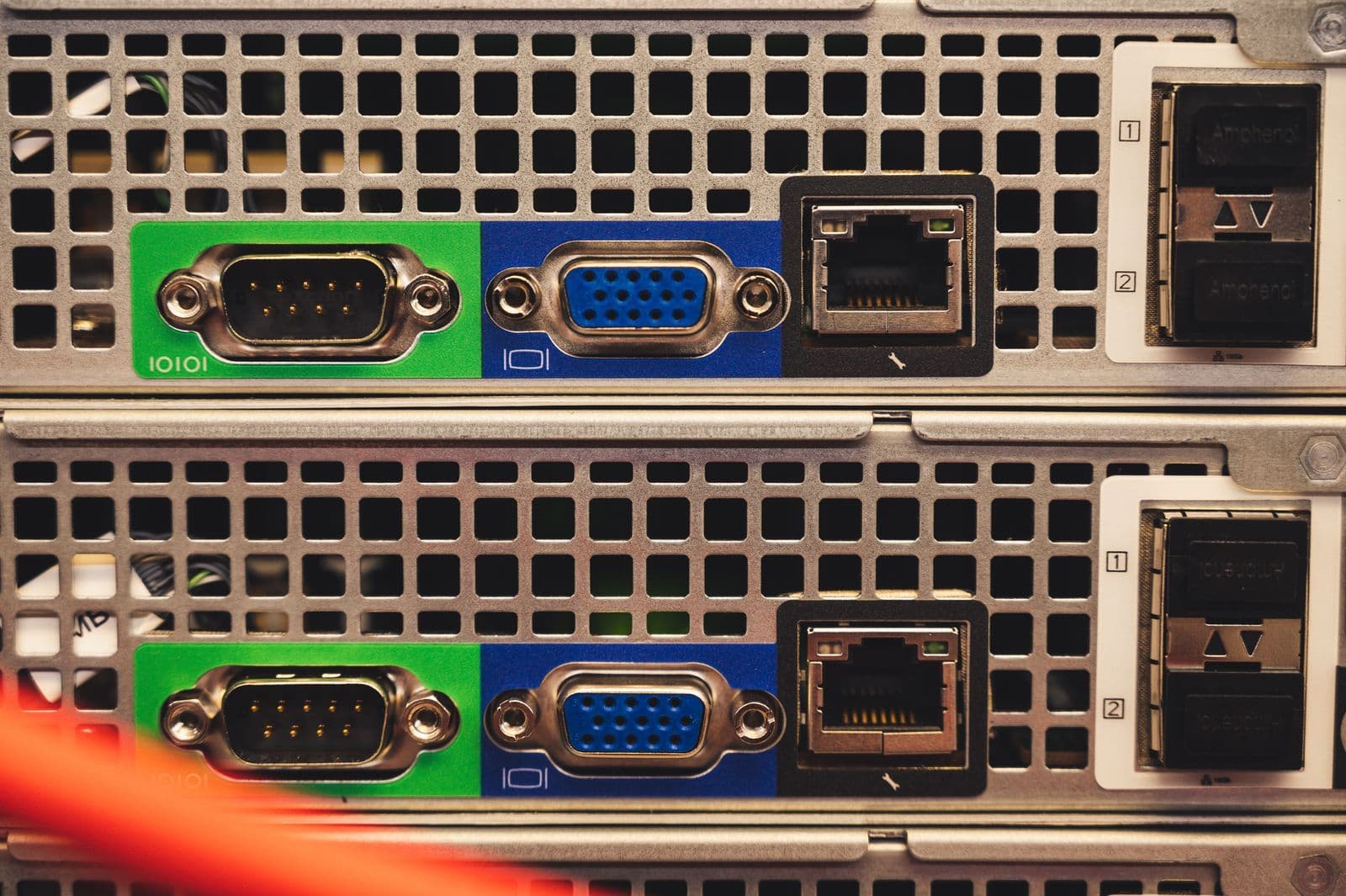
NBN 2000 router requirements are easy to underestimate because “fast Wi-Fi” and “multi-gigabit Ethernet” describe different parts of a network. A router can advertise impressive wireless numbers while a single gigabit port limits the connection feeding the house. Check the complete path before paying for an upgrade.
Quick answer
NBN 2000 router requirements start with a multi-gigabit WAN port and sufficient routing performance. For one wired device to exceed gigabit speeds, the router’s LAN port, any switch, cable link and device adapter must also support more than 1 Gbps. Confirm your address, NBN connection-box requirements and provider settings before buying equipment.
NBN 2000 router requirements: begin at the address
Confirm that a participating provider can supply the relevant service at your address. NBN’s 2000 Mbps provider information makes service qualification part of availability. A compatible router cannot make an ineligible access connection support a different speed tier.
Ask the retail provider whether the installed NBN connection box needs work or replacement and who will arrange it. Keep that appointment separate from delivery of your new router. Do not buy a generic cable modem and assume it can replace NBN equipment.
Also confirm the plan’s upload performance, expected busy-period information and any provider settings needed for your router. The number “2000” describes a download tier, not a guarantee that uploads, Wi-Fi and every connected device all run at the same rate.
Trace the path from the connection box to the device
For a single wired computer to exceed a gigabit link, every relevant segment must support the higher speed. NETGEAR’s multi-gigabit explanation describes the limitation of connecting faster equipment through a gigabit port.
| Segment | What to check |
|---|---|
| NBN connection to router | Provider-approved connection box and suitable Ethernet link |
| Router WAN port | At least the multi-gigabit capability needed for the service |
| Router processing | Routing performance with the features you will enable |
| Router LAN port | Multi-gigabit capability for a faster-than-gigabit wired client |
| Intermediate switch | Relevant uplink and client ports support the intended speed |
| Computer adapter or dock | Actual Ethernet capability, not just the USB connector shape |
| Cable path | Suitable cabling and the expected negotiated link speed |
Write the model number beside each device. “Gigabit switch” is not the same as “2.5 Gigabit switch”. A fast uplink also does not imply that every client port has the same capability.
One fast port can be a practical limitation
Some routers have one configurable multi-gigabit port and several gigabit ports. If the fast port is used for the internet input, a wired desktop on a gigabit LAN port remains limited by that LAN link.
That configuration may still serve several devices effectively in aggregate. It simply does not provide a multi-gigabit wired path to one computer. Decide whether your goal is a single large download or more total capacity shared across the household.
Before buying, ask the seller or manufacturer which ports can operate simultaneously at the required speeds. Do not infer this from a large “AX” or “BE” marketing number on the box; those labels do not describe every wired port.
Wi-Fi needs compatible clients too
NBN’s router guidance explains the importance of equipment capability, placement and the devices using the connection. A newer router does not upgrade the radio inside an older laptop or phone.
For wireless multi-gigabit ambitions, check the exact supported bands, channel widths and client capabilities. Distance, walls and interference still matter. Avoid treating an aggregate theoretical wireless rating across several bands as a guaranteed speed to one phone.
Our Wi-Fi 6 versus Wi-Fi 7 guide explains the generation labels. A sensible upgrade decision weighs the devices you own now, not only a future device you might buy someday.
Mesh can introduce another link to inspect
If the computer connects to a satellite mesh node, inspect the node’s connection back to the main router. A fast Ethernet socket on the satellite does not remove a slow wireless backhaul or gigabit link elsewhere.
Check the main unit, satellite ports, any switch and the system’s supported backhaul configuration. A mixed kit can have different port capabilities on different units. Read the actual specifications for the pack being sold.
For a workstation that genuinely needs high sustained transfers, investigate a suitable wired route. For ordinary streaming in a distant room, reliable coverage may matter more than chasing the highest possible speed-test result. Our Ethernet versus Wi-Fi guide helps frame that trade-off.
Test cables and adapters before replacing everything
Suitable Cat5e and Cat6 links can support 2.5 Gigabit Ethernet, but damaged leads, poor terminations or unsuitable adapters can cause lower negotiated speeds. Check what the router and computer report for the link, not merely what is printed on the cable packaging.
Try a known-good patch lead and a direct connection to the appropriate router port as a diagnostic step. If the link remains at gigabit speed, inspect the adapter and port specifications. A USB-C dock can still contain only a gigabit Ethernet adapter.
Permanent cabling work should be assessed and performed by appropriately qualified people. Do not open wall outlets or alter installed cabling based on a general guide. A professional test can be more useful than replacing equipment at random.
Router features can affect throughput
Ask the manufacturer about performance with the settings you expect to use, such as traffic inspection, parental controls or a VPN. A raw port speed does not establish the router’s processing capacity under every configuration.
Do not disable security features indiscriminately to obtain a prettier benchmark. Identify the requirement and look for supported settings or equipment capable of meeting it. Keep firmware current and use the provider’s documented setup process.
If you rely on a provider-supplied telephone service, confirm how it works with a replacement router. Internet connectivity alone is not proof that every service bundled with the old equipment will continue unchanged.
A sensible upgrade budget
List the router, any switch, network adapter, cabling work and installation charges before comparing plans. An apparently small monthly upgrade can trigger a much larger one-off equipment bill.
For an illustrative calculation, $480 of equipment spread over 24 months adds $20 a month to your comparison. If the faster plan is another $25 a month, the combined incremental budget is $45 monthly over that period. These are invented costs, not current product or plan prices.
Ask what task justifies that extra spend. Several simultaneous heavy users may value aggregate capacity, while a household whose main problem is weak coverage may benefit more from placement or a modest network change.
Verify after activation
Use a capable wired device, confirm the negotiated link speeds and test at more than one time. Record the provider plan, router model, port used and test method. Share those details with support if performance is inconsistent with the service information.
Then test ordinary household use. The objective is a useful connection, not a single number. Read our NBN 2000 plan guide and compare internet plans once the equipment path and budget are clear.
The CompareUs Editorial Team reviewed the linked NBN and manufacturer guidance on 28 September 2026. Confirm model-specific compatibility and current service qualification before purchasing.
Where should you go next?
FAQs
Is a 2.5 Gbps WAN port enough for NBN 2000?
It is an important input requirement, but not the whole path. The router must route fast enough, and a single wired device needs a suitable LAN port, switch if used, cabling link and network adapter. A gigabit component can remain the bottleneck.
Do I have to buy Wi-Fi 7?
Not simply to connect a multi-gigabit wired device. Wired port capability and routing performance are separate from the Wi-Fi generation. For wireless use, assess the exact router and client capabilities, distance and radio conditions rather than relying on the generation label alone.
Can a gigabit laptop use an NBN 2000 service?
Yes, but that laptop’s gigabit wired connection will not deliver more than its link capacity. Other devices may share the remaining service capacity if the router and network support it. Compatibility and achieving the full tier on one device are different questions.
Do I need to replace every Ethernet cable?
Not automatically. Suitable Cat5e and Cat6 cabling can support 2.5 Gigabit Ethernet, but the actual link, cable condition and installation matter. Check negotiated speed and test a known-good patch lead before assuming a full recable is necessary.
Can I replace the NBN connection box myself?
No. Ask the retail provider whether the address and existing connection equipment qualify and whether NBN work is needed. Do not substitute a privately purchased modem for network equipment or alter the installed connection box.
Why is a speed test below 2,000 Mbps?
Plan conditions, network load, protocol overhead, the test server and home equipment can all affect the result. Check the wired link chain and provider’s expected performance before treating a single result as proof of a fault.